
Christine and I have been building products together for the better part of a decade, bonded by our absolute dedication to two things: the people we love, and the products we build. Balancing these priorities is not easy. Most of what we've talked about over the years — as our children and our parents moved into new phases — is how to stay above water, and how to eke a little more out of the limited hours we have.
For us, Muse gives us back the scarcest thing we have: time with the people we love.
Muse was the most personal and challenging product we’ve built together. It felt like designing for a new era: a model that’s proactive, holds far more context, so capable that it can generate its own experience. That meant countless novel product decisions — imagining new ways to communicate, create things, and also keep your data and actions safe.
What follows is a starting point: the decisions we made, and the lines we drew. We also really encourage you to read our colleague Tarek Sheasha’s blog post that goes into greater depth on how the product was technically built and our systems to keep users and their data safe.
We’re excited for all of you to experience it yourself and tell us what you think.
Muse Is an Agent That Can Actually Do Things
The magic of Muse is watching it actually get something done for you.
We want Muse to be maximally helpful in achieving your tasks and goals. In fact, the first line of our System Prompt reads:
Your purpose is to make your user’s life better.
To me, making my life better meant finally getting through the to-do list I keep in my head — the one that keeps me up at night and never seems to get shorter.
Muse does this in a way I honestly can’t. It juggles multiple tasks at once, it doesn’t get tired, it doesn’t get distracted. This is its only job.
Just this week, while I was gearing up for this launch, I had Muse managing my kids' back-to-school prep — watching the flood of school emails and the district website, pulling key dates onto our family calendar, loading a cart with the supplies they needed, even finding the sweatshirt my son wanted (on sale!) and booking a dinner to celebrate the first day back.
That's how it caught the thing I would definitely have missed: buried in those emails was my son's sports tryout, closing in twelve hours. My Muse sent me a message right before I boarded a flight, so I called my husband and he got the forms in with four hours to spare. Without that catch, my son wouldn't have made the tryouts.
To do all this, Muse has to be extremely capable and proactive.
Muse has its own computer, with a file system and a terminal, so it can write its own code and build the tools a task needs. It also has access to a full web browser, so it can search, navigate sites, fill out forms, and complete transactions, like booking and purchasing.
Muse also can produce things for you — documents, PDFs, web pages, and more. It can build a tracker for your spending, an interactive study guide, or a dashboard to find patterns in your sleep.

And Muse is always working. Once you’ve set a goal or a task, Muse continues to work on a schedule and in response to relevant events, taking the next step and following up, alongside whatever you ask it in conversation. When it completes its background work, it evaluates whether the result is worth surfacing, and notifies you only when something is meaningfully new or needs your input.
Evolving From an Assistant to an Agent
As we designed the product, we leaned into one long conversation in a main chat — the kind you’d have with another person. Unlike other AI apps, Muse isn’t a turn-by-turn experience. You can interrupt it or send multiple tasks at once without waiting for it to respond to the last. Its memory persists across your conversations, and can manage lots of context. In early testing, some people still wanted separate context for certain topics — which made sense as projects grew more complex. So we built side chats.
Muse is also proactive. It can send you messages without you prompting it. Which means the bar for sending one has to be high: a proactive message has to be genuinely helpful and worth the interruption. We think the default is right for most people, and you can always tell your Muse to turn it off, dial it down, or dial it up. Proactivity also forced a smaller decision. Once messages can arrive out of turn, and users (like me…) send several in a row, a flat, unbounded transcript stops being readable. That’s why Muse uses chat bubbles: they mark where one thought ends and the next begins.
Designing an avatar and personality for Muse were both a delightful and most natural choice. As we had these long-running conversations, it felt very odd talking to a corporate logo or entity. We all imagined what we were talking to in very different ways. Everyone on the team started to create their own Muse…and we realized, making them truly yours was critical to the product. Creating our own avatar, naming it, and giving it a unique style has become one of the core features people light up about most. Which brings me to my Muse: Veda, a Sanskrit name that evokes wisdom.

Getting Things Done With Muse
Background work and transparency
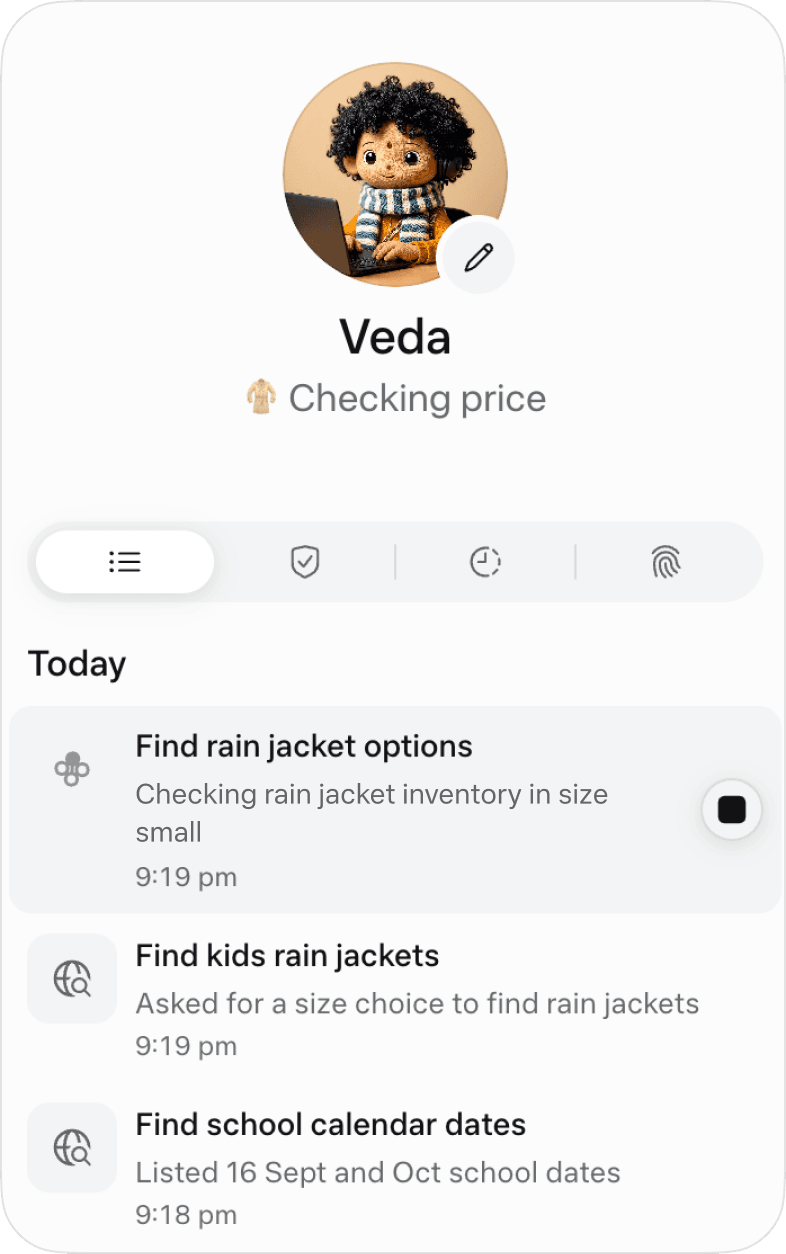
Muse can manage multiple tasks and do it in the background while the app is closed. This is really exciting, but also made us wonder…what exactly is it doing? You can’t trust what you can’t see, so we built more and more transparency into the UI. As an example, under the Avatar, you’ll see a snippet of what it’s working on. Tapping on your Muse avatar will show you its full activity log as well as permissions you’ve approved. We also have transparency built in with our permissions UI, Settings, your Memory files, which you can read and edit directly.
Goals and tracking
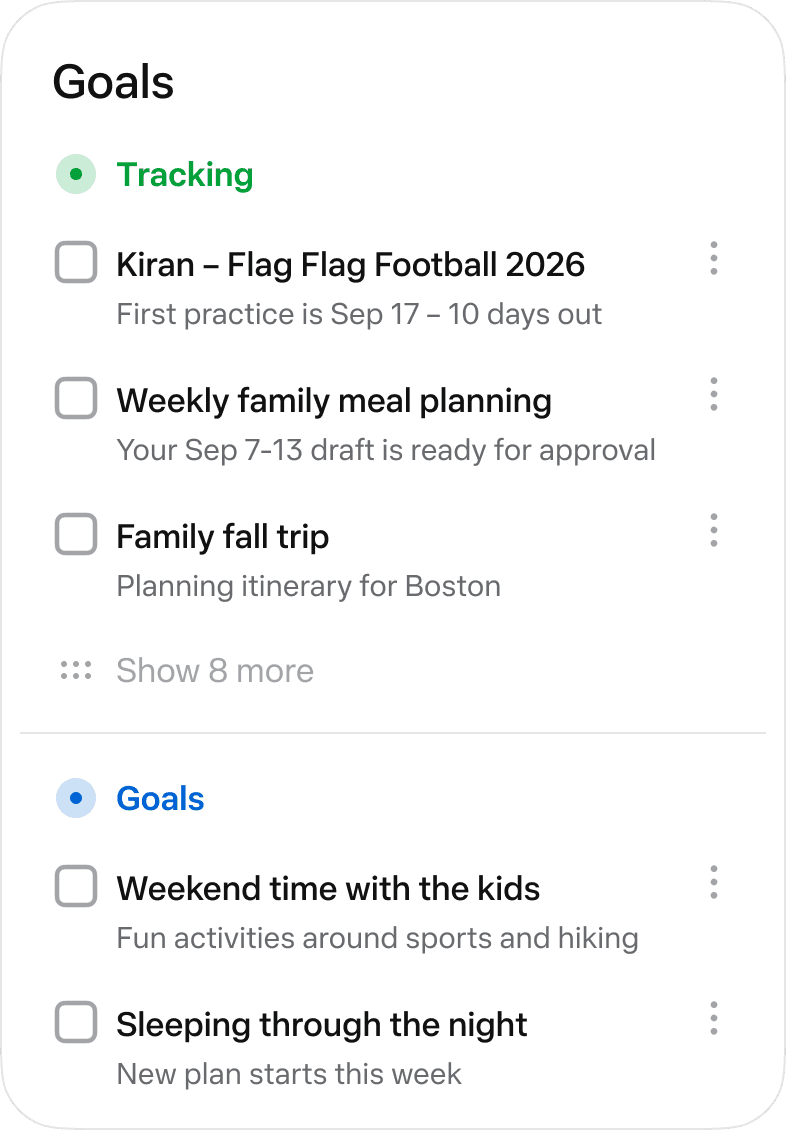
We started to give our agents multiple long-running tasks, often related to goals we wanted to accomplish. In fact, Muse is quite good at breaking down goals and giving you actionable plans to reach them. So, we needed more than just an activity tab — we needed a clear view of everything Muse was tracking for us, and its plan to get there. The Goals tab is where Muse keeps track of all this for you, and you can interact directly there or talk to it about these tasks in chat.
Deterministic controls
Muse can handle a lot conversationally, but in a few areas, conversation isn’t enough. So we were deliberate about where deterministic UI is non-negotiable: structured approval cards with clear accept/reject actions, and secure storage for your credentials.
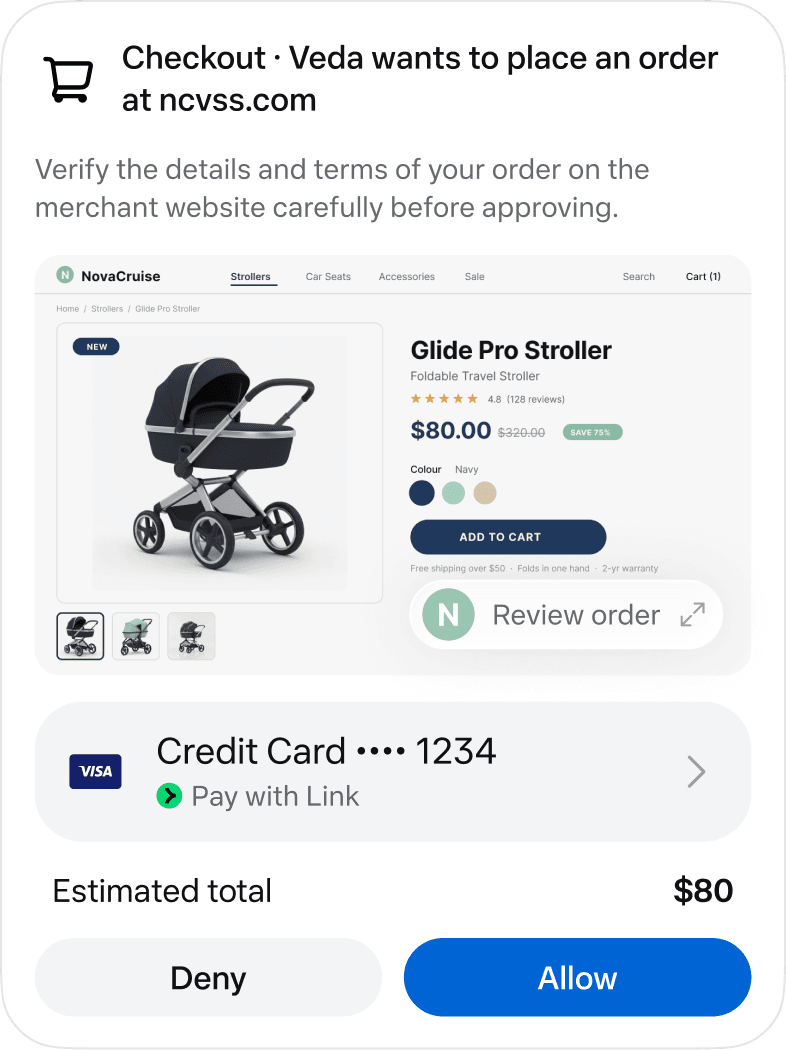
Browsing the web is one of our favorite Muse capabilities, but that comes with a lot of responsibility. Our human-in-the-loop feature checks in with you on critical actions, like writing an email or making a purchase. But we also wanted to avoid banner blindness — where people approve everything to make it go away. It's important to supervise those “irreversible” actions. So the default allows for standard browsing of the web and stops for anything hard to undo. And we have controls built in for you to change those defaults to be more or less cautious.
Artifacts
Sometimes a block of text just isn’t the right shape for the answer. If you asked a person to plan a trip, you wouldn’t want a 2,000 word reply; you’d want an itinerary. If you’re tracking your spending over time, you may want a live dashboard over a daily message. Muse can create rich, interactive outputs that are sent through the chat and can also live outside of it. We call these Artifacts. We think people will increasingly want more rich, bespoke interfaces, rather than what chat delivers as text today.
Finding the magic
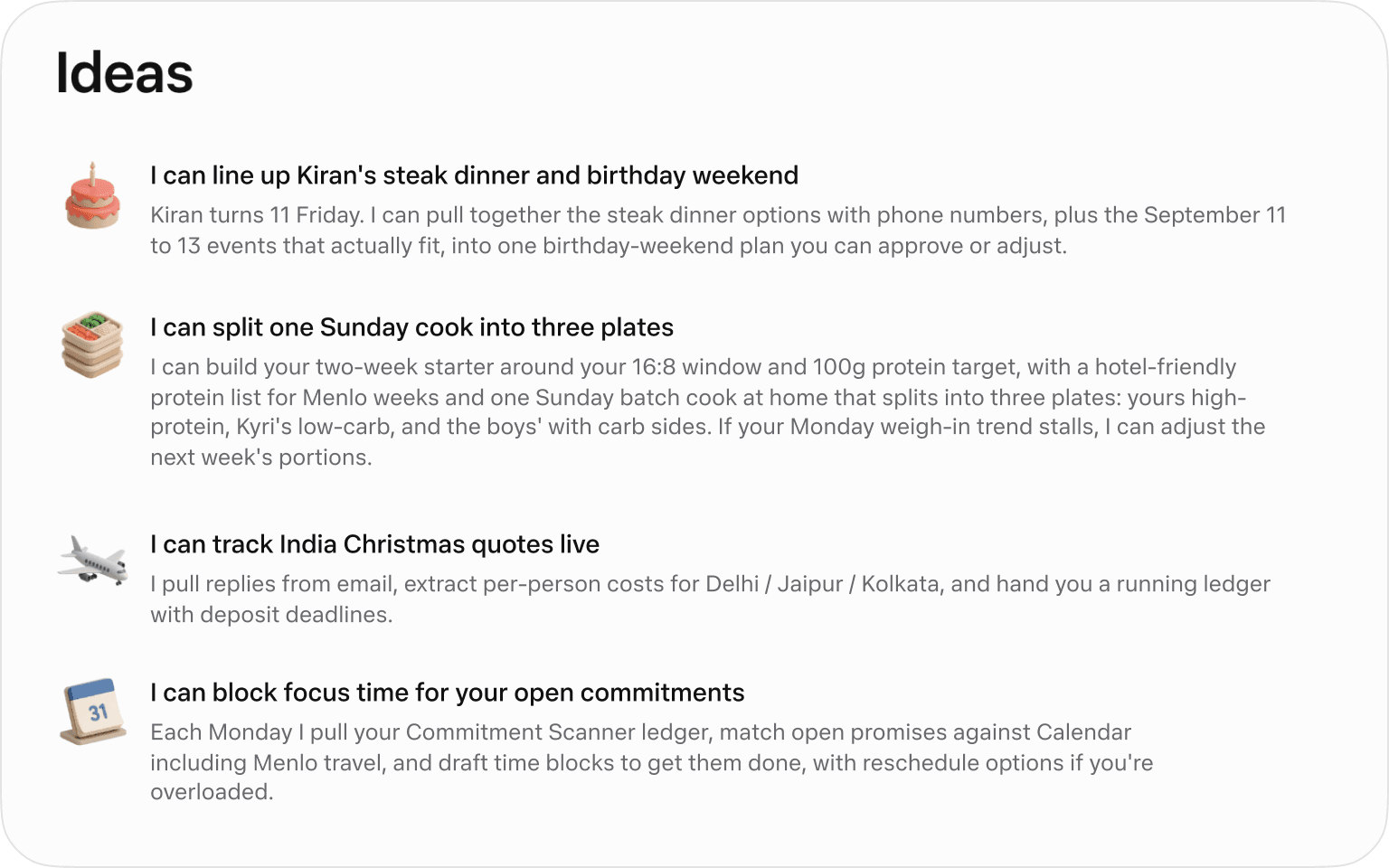
Early testing turned up an unexpected problem: Muse could do so much that people didn’t know where to start. So we designed Muse to always think about what it can do for you, generating ideas based on your goals, your patterns, and what it’s learned in conversation.
The ideas Muse creates for you come in multiple formats — as tips in your first days of onboarding; as suggestions in the Ideas tabs; and, if Muse knows about your goals, it will proactively share new ideas or adjustments to plan based on its observations and your conversation with it.
Watch Alex, our Product Design Lead, walk through Muse in more detail.
Where We Go From Here
We’re proud of what we’ve built, and we also know it’s early. It’s important to be thoughtful about how you use Muse, so take the time to familiarize yourself with our settings and controls. We’ll continue to learn from you and iterate the product to make it even more helpful and safe to use. We'll build with ambition and care in equal measure, because neither one works without the other. That’s how we intend to move with the frontier.
On that note, we hope you enjoy our starting point and can’t wait to hear your own Muse stories.